Enhance Your Simulation Experience with Pedestrian Dynamics® 4.7!
At InControl, we continuously invest in making Pedestrian Dynamics® more powerful, efficient, and easier to use. Guided by feedback from our users and the growing demand for advanced crowd simulation, Pedestrian Dynamics® 4.7 introduces a wide range of enhancements designed to improve your modelling experience.
Whether you are evaluating new infrastructure designs, supporting operational decision-making, or developing Digital Twin applications, Pedestrian Dynamics® helps you gain reliable insights into pedestrian behavior in complex environments. Version 4.7 further strengthens the platform with new functionality and usability improvements that allow you to build models faster, analyze results more effectively, and communicate your findings with greater confidence.
We invite you to explore the latest innovations and discover how Pedestrian Dynamics® 4.7 can help you create safer, smarter, and more efficient environments.
Build your models faster and more accurately from BIM data.
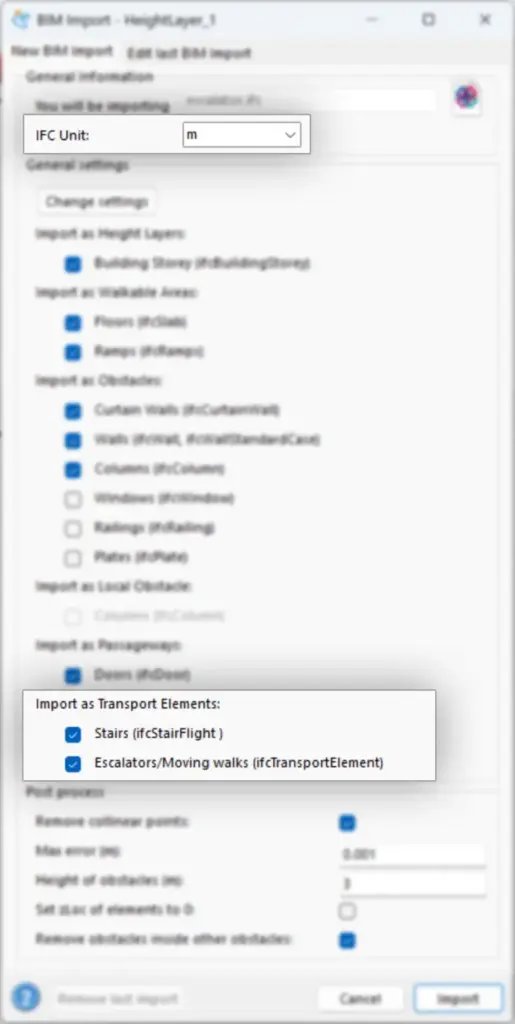
Since BIM models are often created using imperial units while Pedestrian Dynamics® uses the metric system, IFC geometry defined in feet is now automatically imported and converted to meters.
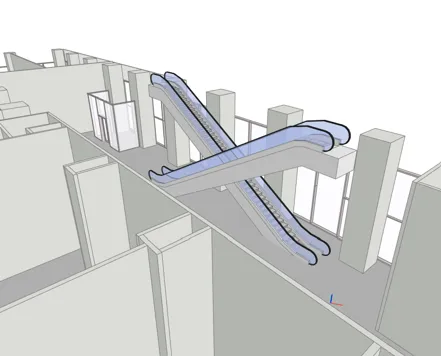
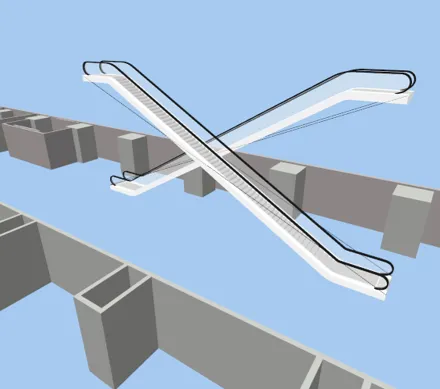
We have also added automatic import of escalator elements from IFC files, making it easier to incorporate escalators into your Pedestrian Dynamics® model.
BIM import GUI highlighting the recent new features and improvements
Escalator in BIM viewer
Escalator after importing in Pedestrian Dynamics
2. Faster and more flexible Modeling
Save modelling time and have more insight and flexibility when modelling.
An Activity Location can now belong to multiple groups, giving you more flexibility and uniform way to address certain subsets of activity locations, making it easier to set up activity routes.
The stair and escalator tilt will automatically update when the departure or landing tilt changes, saving you time and eliminating the need for manual updates.
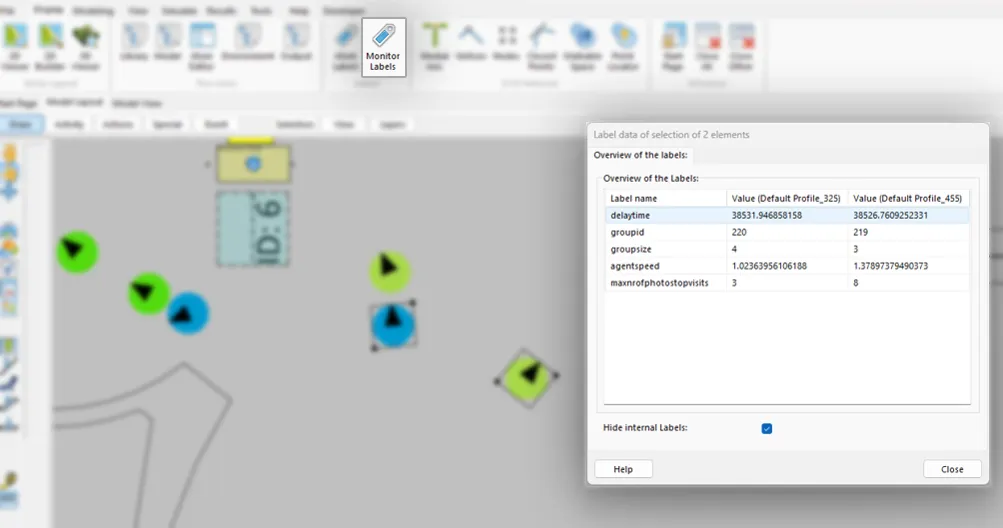
Easily monitor the values of labels of a selected group of agent or other elements using the Monitor Labels tool. The tool allows you to easily compare the values of labels of different agents or elements.
Escalator in BIM viewer
3. Enhanced Output Customization
Customize your simulation outputs with greater flexibility and clarity.
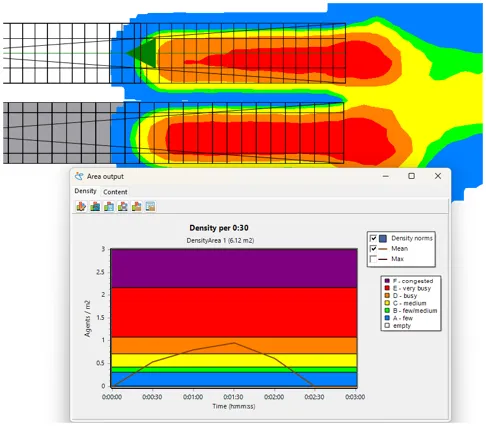
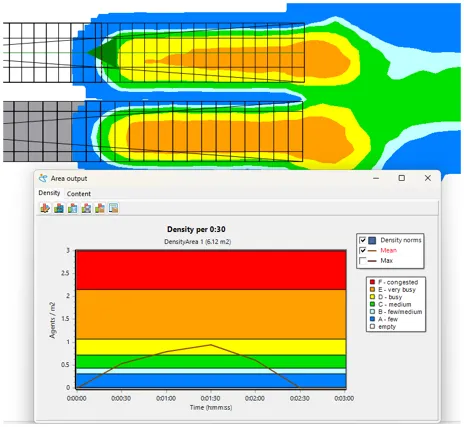
When creating density maps, the new “Fruin colors” option lets you switch from the default Pedestrian Dynamics® Level of Service colors to the widely used Fruin color scheme, where LoS F is represented in red.
For greater flexibility in reporting and analysis, output graphs and maps can now be displayed using feet and yards instead of meters. Density graphs can also be inverted—for example, displaying ft²/agent instead of agents/m²—making results easier to interpret for users working with different measurement systems.
Finally, Activity Route outputs now support user-defined percentiles. In addition to the existing minimum, mean, maximum, and standard deviation, users can select a percentile to display directly in the graphs.
Classic Pedestrian Dynamics density coloring
Fruin density coloring
4. Improved Visualization
Represent a wider range of pedestrian characteristics in your models.
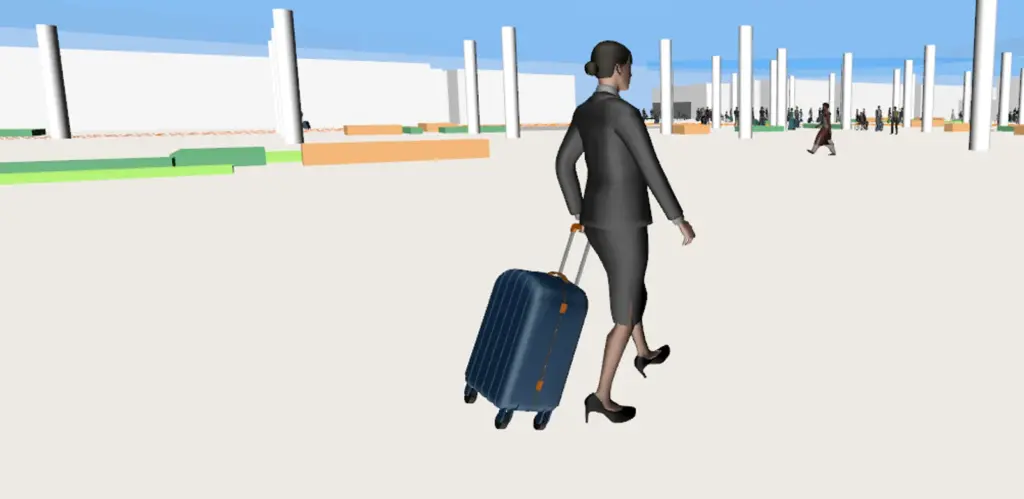
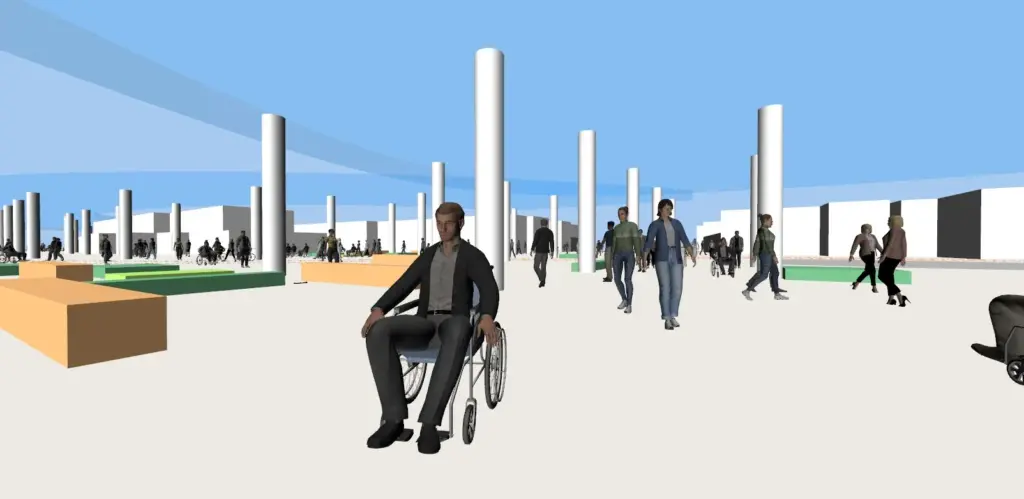
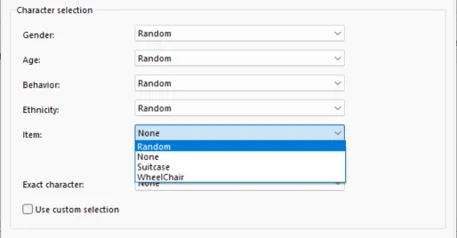
The available character set has been expanded with new wheelchair users and pedestrians carrying a suitcase, providing more realistic visual representations of diverse pedestrian types in your simulation.
Next to the default Profile we also added a default profile for wheelchair characters that have different parameter setting for the speed and size to better reflect the behavior of these characters.
Suitcase characters
Wheelchair characters
The item dropdown under the Visualization tab of Agent Profile Gui can help the users choose the type of item they want to visualize.
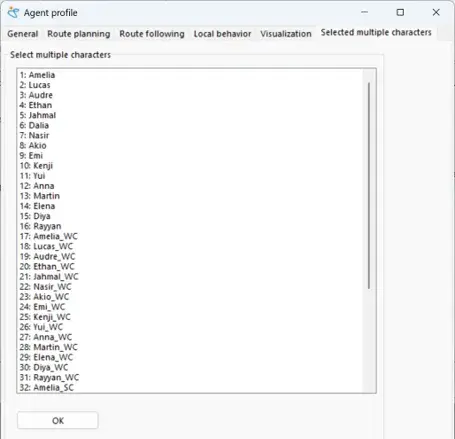
Users can also create a custom selection from a range of new characters available in the Select Multiple Characters tab of the Agent Profile GUI.
5. License Manager improvements
Following the introduction of the new License Manager in Pedestrian Dynamics 4.6, version 4.7 delivers a wide range of refinements based on customer feedback. The licensing workflow has become more intuitive, with clearer messages, improved license borrowing and release functionality, easier offline activation, and enhanced support for automated workstation licensing (installation and licensing without user intervention). Several technical improvements have also been implemented, making license management more reliable and flexible for both individual users and larger deployments.
6. Added Profiler Tool for Developers
Identify performance bottlenecks and optimize your models.
A new Profiler tool is now available to help developers identify which parts of a model consume the most processing time. Use these insights to investigate performance bottlenecks and improve model execution speed.
Get Started with Pedestrian Dynamics® 4.7
Enhance your crowd modeling and simulation projects with Pedestrian Dynamics® 4.7. Discover how it can support your crowd management, planning, and operational decision-making.