System integrators use warehouse automation simulation to design, validate, and sell complex automated systems before a single conveyor belt or robot is installed. By building a virtual model of the warehouse environment, they can test throughput, identify failure points, and prove to clients that a proposed design will meet performance targets. This article unpacks the most common questions system integrators have about simulation, from project types and bottleneck detection to software selection and timing.
What types of warehouse automation projects do system integrators simulate?
System integrators simulate virtually every category of warehouse automation project, including conveyor systems, sortation systems, automated storage and retrieval systems (AS/RS), goods-to-person picking stations, robotic fulfillment cells, and cross-docking operations. Any system where throughput, sequencing, or resource allocation matters is a strong candidate for simulation.
In practice, the most common project types include:
- Conveyor and sortation systems: modeling product flow, merge points, and divert logic to ensure correct routing under peak load
- AS/RS and shuttle systems: testing crane or shuttle cycle times, storage depth, and retrieval sequencing — AS/RS simulation is particularly valuable for validating complex retrieval logic before installation
- Goods-to-person stations: validating pick rates, buffer sizing, and operator workload balance
- Robotic picking cells: analyzing robot cycle times, failure modes, and integration with conveyor infeeds
- Packing and dispatch areas: checking whether downstream processes keep up with upstream throughput
The common thread across all of these is complexity. When a system involves multiple interacting components, manual calculations simply cannot capture the dynamic behavior that emerges during real operations. Material flow simulation handles that complexity naturally, giving integrators a reliable way to understand how goods move through the system before any physical commitment is made.
How does simulation help system integrators prove their designs to clients?
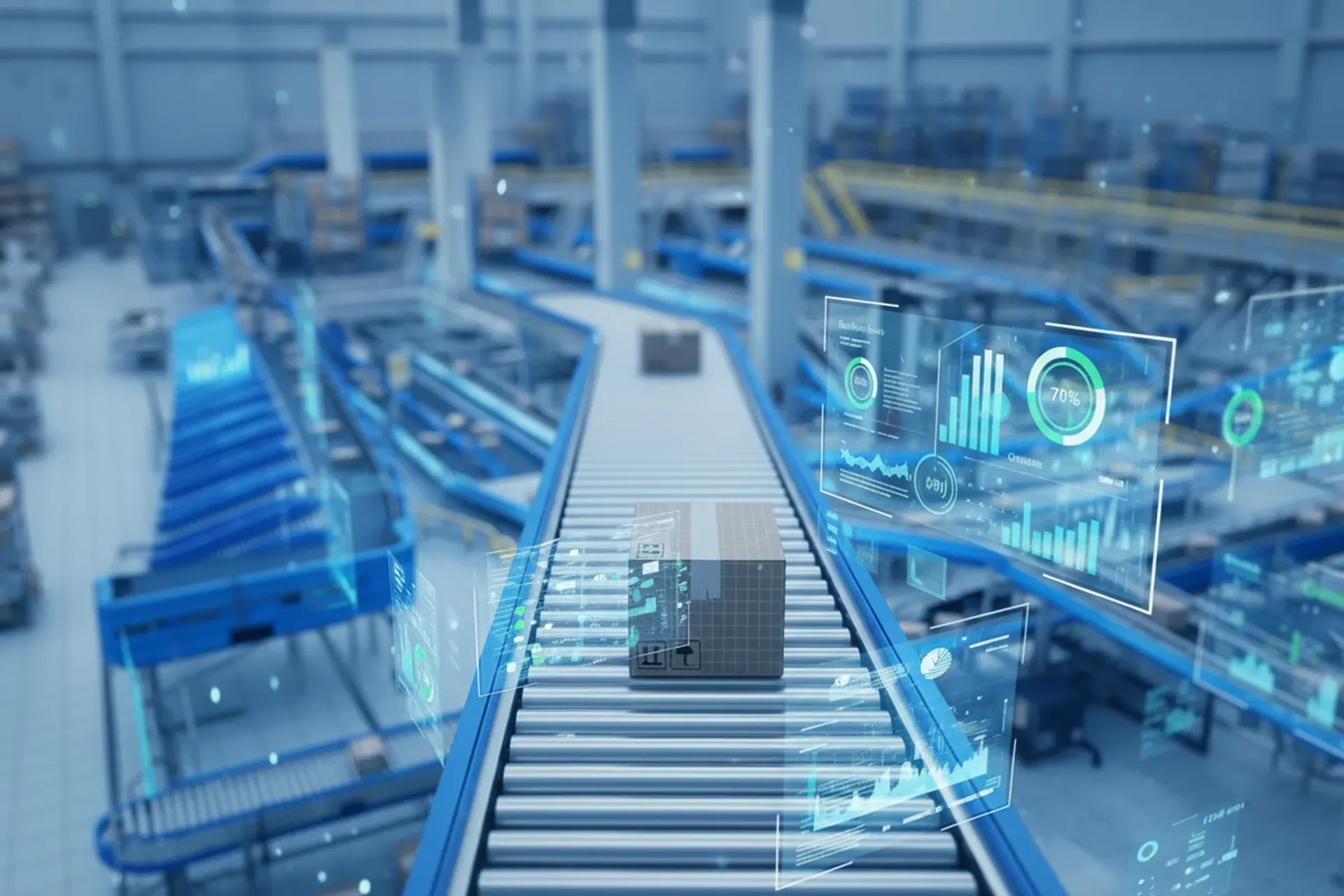
Simulation helps system integrators prove their designs by producing visual, data-backed evidence that a proposed warehouse layout will meet agreed performance targets. Rather than presenting static spreadsheet calculations, integrators can show clients an animated 3D model running at full operational speed, complete with KPI dashboards showing throughput, utilization, and queue lengths in real time.
This matters for several reasons. Clients investing in large-scale automation are taking on significant financial risk, and a compelling visual demonstration reduces doubt far more effectively than a written report. When a client can watch their order profiles running through a virtual system and see that peak throughput targets are met, approval decisions come faster and with greater confidence.
Simulation also creates a shared reference point between the integrator and the client. Both parties can agree on the model’s input assumptions, run what-if scenarios together during design reviews, and document the agreed performance baseline before any physical equipment is ordered. This reduces scope disputes later in the project.
Build your own simulation, your way
Enterprise Dynamics gives developers full control to model, scale, and integrate complex systems with C++, APIs, and real-time data.
Explore Enterprise DynamicsWhat’s the difference between simulation and emulation in warehouse automation?
Simulation models the logical and physical behavior of a warehouse system to analyze performance, while emulation connects a virtual model to the actual warehouse control software (WCS or WMS) to test the control logic itself. Simulation answers “will this design work?” while emulation answers “does our software control it correctly?”
In a simulation model, the control logic is approximated or simplified. The goal is to understand flow, throughput, and resource behavior over time. Emulation, by contrast, uses the real control system connected to a virtual representation of the physical hardware, allowing software engineers to test and debug PLC programs or WCS logic before go-live.
System integrators typically use discrete event simulation software earlier in a project during design validation, and emulation later during software commissioning. The two approaches complement each other: simulation de-risks the design, and emulation de-risks the software. Some advanced platforms support both within the same environment, which shortens the overall commissioning timeline considerably.
How do system integrators use simulation to identify bottlenecks before installation?
System integrators use warehouse simulation software to run the proposed design under realistic order profiles and peak demand scenarios, then observe where queues build up, where equipment reaches maximum utilization, and where throughput drops below target. These are the bottlenecks, and finding them in a virtual model costs a fraction of what it costs to redesign a system after physical installation.
The process typically follows these steps:
- Build the virtual model: replicate the warehouse layout, equipment specifications, and control logic in the simulation environment
- Load realistic demand data: feed in actual or representative order profiles, SKU mixes, and shift patterns
- Run the simulation: execute the model over a simulated time period, often covering peak trading hours or seasonal demand spikes
- Analyze utilization and queue statistics: identify which conveyors, buffers, or workstations reach saturation first
- Test design changes: adjust buffer sizes, add equipment, or modify control logic, then re-run to confirm the bottleneck is resolved
This iterative process can be repeated quickly in simulation, allowing integrators to compare multiple design variants before committing to a final configuration. Material flow optimization through this kind of structured testing is far more reliable than gut instinct or rule-of-thumb capacity calculations, particularly in systems with complex interdependencies.
When in the project lifecycle should system integrators run warehouse simulations?
System integrators should run warehouse simulations as early as the concept design phase and continue using them at key decision points throughout the project lifecycle. The earlier simulation is introduced, the lower the cost of making design changes based on what the model reveals.
A practical timeline looks like this. During concept design, intralogistics simulation validates whether the proposed system architecture can meet throughput targets at all. During detailed design, it optimizes buffer sizes, equipment counts, and layout. During the sales phase, it supports client presentations and design reviews. During commissioning preparation, updated models reflect final equipment specifications and help plan the go-live sequence.
Many system integrators make the mistake of treating simulation as a one-time activity rather than a living tool. The most effective teams maintain and update their models as the project evolves, so the simulation always reflects the current design state and can be used to evaluate late-stage change requests without starting from scratch.
What simulation software do system integrators typically use for warehouse automation?
System integrators working in warehouse automation typically use discrete event simulation software — often referred to as DES simulation platforms — that offer pre-built component libraries for conveyors, sorters, storage systems, and picking stations. The most widely used tools in the intralogistics sector are purpose-built for material handling environments, offering drag-and-drop modeling, 3D visualization, and direct integration with WMS and ERP data.
Key capabilities integrators look for when selecting warehouse simulation software include:
- Pre-built libraries of material handling objects (conveyors, sorters, AS/RS, AGVs)
- 2D and 3D visualization for client presentations
- WMS and ERP data integration for realistic demand inputs
- What-if scenario testing and KPI dashboards
- Scalability to handle large, complex system models without performance degradation
The right DES simulation tool also needs to fit the integrator’s workflow, meaning it should be fast enough to build models during the sales cycle, detailed enough to support engineering decisions, and visual enough to communicate results to non-technical clients. For teams working specifically in warehousing and intralogistics, DES software for warehousing that includes purpose-built material handling simulation components will almost always outperform a generic modeling tool adapted for the purpose.
How Enterprise Dynamics supports system integrators in warehouse automation
Enterprise Dynamics is our discrete-event simulation platform built specifically for the demands system integrators face in material handling and intralogistics projects. It combines the depth engineers need with the visual output clients expect, all within a single DES simulation environment.
Here is what Enterprise Dynamics brings to warehouse automation simulation projects:
- Extensive atom libraries: pre-built, drag-and-drop components for conveyors, sorters, AS/RS, picking stations, and more, reducing model build time significantly
- 2D and 3D visualization: animated models that communicate design intent clearly to clients during presentations and design reviews
- WMS and ERP integration: connect real operational data to the model for accurate throughput analysis and bottleneck identification
- What-if scenario testing: compare multiple design configurations quickly to find the optimal solution before any physical commitment
- Scalability: handle large, complex system models without fundamental size limitations
Whether you are validating a new AS/RS concept, presenting a sortation design to a client, or stress-testing a fulfillment center under peak demand, Enterprise Dynamics gives your team the tools to do it with confidence. Get in touch with us to see how we can support your next warehouse automation project.
Frequently Asked Questions
How long does it typically take to build a warehouse simulation model?
Build time depends on system complexity, but with a purpose-built platform like Enterprise Dynamics, a functional concept-level model can often be completed in a matter of days, while a detailed, fully validated model for a large-scale system may take several weeks. Using pre-built component libraries significantly reduces build time compared to coding a model from scratch. Integrators who invest in reusable model templates and standardized building blocks across projects can cut subsequent build times by a considerable margin.
What data do I need from a client before I can start building a simulation model?
At a minimum, you need the warehouse layout or proposed floor plan, equipment specifications (conveyor speeds, sorter rates, AS/RS cycle times), order profiles or SKU mix data, and shift patterns including peak demand periods. The more realistic the input data, the more reliable the simulation output will be. If actual historical data is not yet available, representative industry benchmarks can be used as a starting point, with the model updated once real client data becomes available.
Can simulation models be reused or adapted for future projects?
Yes, and this is one of the most underutilized advantages of building a structured simulation practice. Well-organized models with modular, parameterized components can serve as templates for future projects with similar system architectures, dramatically reducing build time on subsequent bids. The key is to design models with reusability in mind from the start, using consistent naming conventions, configurable parameters, and documented assumptions so that another engineer can pick up and adapt the model without starting from scratch.
What are the most common mistakes system integrators make when using warehouse simulation?
The most frequent mistake is running simulation too late in the project, typically only during the sales phase or after design decisions have already been made, which limits how much the findings can actually influence the outcome. Another common error is using overly optimistic input data, such as assuming ideal equipment uptime or uniform order profiles, which produces results that do not reflect real operational conditions. Finally, many teams treat the simulation model as a one-time deliverable rather than a living tool, discarding it after client sign-off instead of maintaining it through commissioning and go-live.
How do I handle equipment downtime and failure scenarios in a warehouse simulation?
Most discrete-event simulation platforms allow you to define mean time between failures (MTBF) and mean time to repair (MTTR) parameters for individual equipment components, so the model can simulate realistic availability rather than assuming 100% uptime. Running failure scenarios reveals how resilient the overall system design is and whether redundancy measures, such as bypass conveyors or buffer zones, are sufficient to maintain throughput when a key piece of equipment goes offline. This is particularly valuable for identifying single points of failure that would not be obvious from throughput calculations alone.
Is simulation still worthwhile for smaller or less complex warehouse automation projects?
Simulation delivers the most obvious ROI on large, complex systems, but it can still add value on smaller projects where the cost of a design error would exceed the cost of building the model. A practical rule of thumb is to consider simulation whenever a project involves multiple interacting subsystems, tight throughput targets, or a client who requires performance guarantees. For very simple, single-process installations, a well-structured spreadsheet calculation may be sufficient, but as soon as dynamic interactions between components are involved, simulation becomes the more reliable tool.
How do I present simulation results to clients who are not technically familiar with the technology?
Focus on the 3D animated walkthrough first, as visual output communicates design intent far more intuitively than raw statistics for non-technical stakeholders. Follow this with a small set of clearly labeled KPI dashboards showing the metrics that matter most to the client, typically throughput, peak capacity, and equipment utilization, rather than overwhelming them with every data point the model produces. Framing results around the client’s business outcomes, such as ‘the system meets your peak dispatch target of X orders per hour with Y% headroom,’ makes the findings immediately meaningful and builds confidence in the proposed design.
Related Articles
- How does warehouse simulation software support pharma distribution planning?
- What is the difference between agent-based simulation and warehouse automation simulation?
- What software do warehouse managers use?
- What are the 5 ps of risk management?
- How can simulation software improve warehouse efficiency?