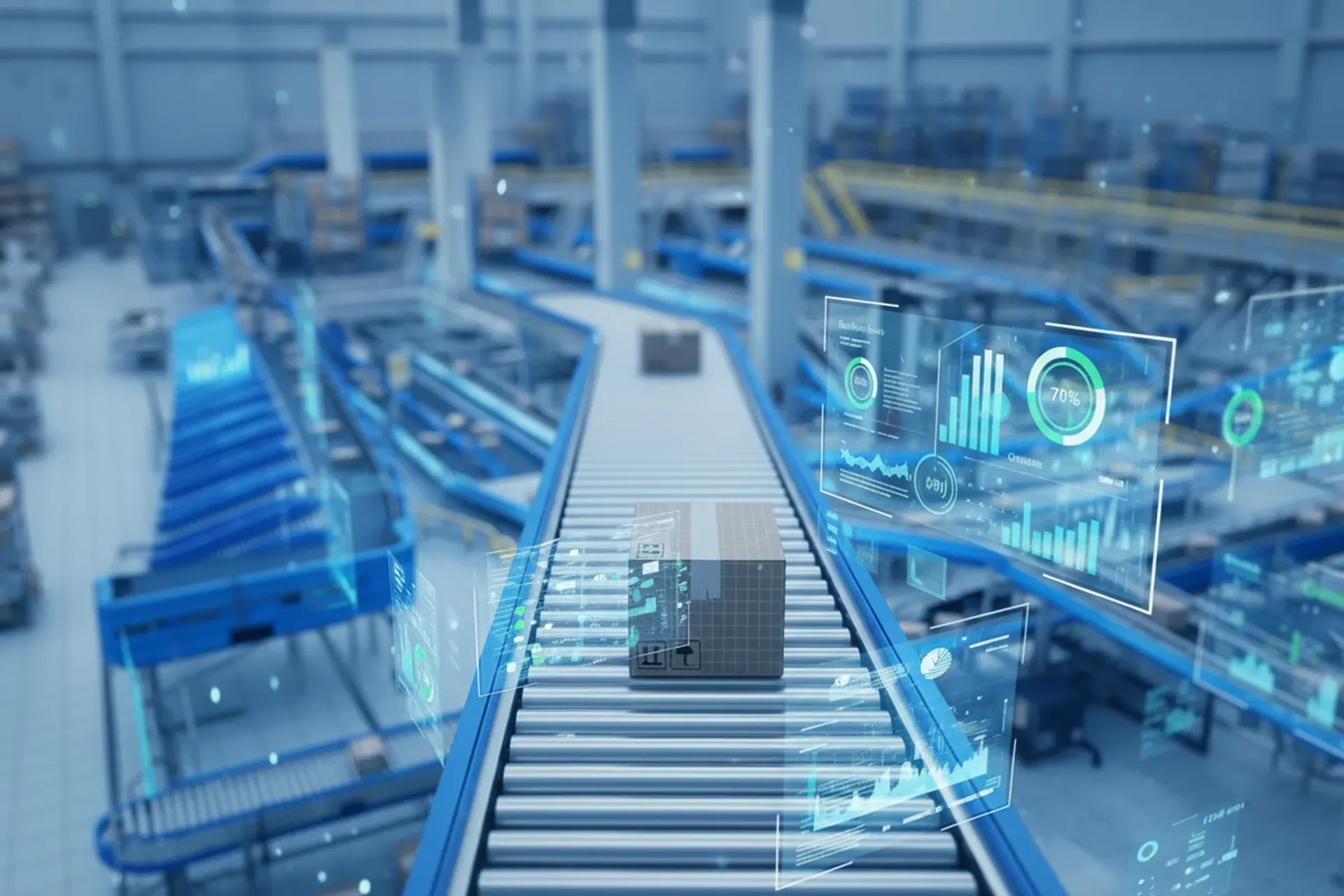
Yes, warehouse simulation software can model multiple warehouse processes simultaneously. Modern discrete event simulation platforms are built specifically to capture the interactions between receiving, storage, picking, sorting, packing, and shipping, all within a single integrated model. This simultaneous modeling is what makes warehouse simulation fundamentally different from analyzing each process in isolation. The sections below unpack exactly how that works and what it means for your operation.
What warehouse processes can simulation software model at the same time?
Warehouse simulation software can model virtually every operational process in parallel, including inbound receiving, putaway, replenishment, order picking, sorting, packing, staging, and outbound shipping. The software tracks resources, equipment, labor, and inventory flows across all of these processes within a single running model, reflecting how they interact in real time.
In practice, a material flow simulation of a distribution center might simultaneously represent:
- Inbound dock operations and receiving workflows
- Conveyor simulation and sortation system behavior
- Pick strategies such as batch picking, zone picking, or wave picking
- Automated storage and retrieval system simulation (AS/RS)
- Packing stations and their staffing requirements
- Outbound staging and truck loading sequences
- Cross-docking flows where applicable
Each of these processes competes for shared resources like labor, floor space, and conveyor capacity. Modeling them together is what allows the simulation to produce realistic, meaningful results rather than idealized estimates.
How does warehouse simulation handle process interdependencies?
Warehouse simulation software handles process interdependencies by modeling the cause-and-effect relationships between connected operations. When one process slows down or speeds up, the simulation automatically propagates that effect downstream and upstream, just as it would in a real warehouse. This is what separates intralogistics simulation from static spreadsheet analysis.
Consider a practical example: a surge in inbound volume increases putaway tasks, which temporarily reduces the availability of forklift operators, which in turn delays replenishment of pick locations, which ultimately slows order-picking throughput. A simulation model captures this entire chain of events dynamically, including the timing, the magnitude of the impact, and the point at which the system recovers.
This dependency modeling is powered by the discrete event simulation engine at the core of the software. Each event, whether a pallet arriving at a dock door or a picker completing a task, triggers subsequent events in the model. The engine processes these in the correct sequence, respecting resource constraints and operational rules throughout the simulation run.
Build your own simulation, your way
Enterprise Dynamics gives developers full control to model, scale, and integrate complex systems with C++, APIs, and real-time data.
Explore Enterprise DynamicsWhat’s the difference between simulating one process versus an entire warehouse system?
Simulating a single warehouse process gives you localized performance data for that process under assumed conditions. Simulating the entire warehouse system gives you emergent behavior, revealing how performance in one area is shaped by everything else happening around it. The difference is significant when you are trying to make investment or operational decisions.
A single-process simulation might tell you that your pick stations can handle 500 orders per hour at full capacity. A full-system simulation might reveal that your pick stations rarely reach that capacity because replenishment delays leave locations empty during peak periods. The bottleneck is not where you thought it was.
Full-system warehouse automation simulation also surfaces conflicts that single-process analysis cannot detect. Two processes that each perform well in isolation may compete for the same aisle, the same conveyor segment, or the same labor pool at the same moment. Only a system-level model exposes those conflicts before they appear in live operations.
For organizations considering significant capital investments, the difference between these two approaches is the difference between partial confidence and genuine validation.
Can warehouse simulation software test what-if scenarios across multiple processes?
Yes, warehouse simulation software is specifically designed to run what-if scenarios that span multiple processes simultaneously. You can change a single variable, such as adding a pick station, adjusting a labor schedule, or modifying a sortation rule, and observe how that change ripples across every connected process in the model.
This multi-process scenario testing is one of the most practical applications of DES simulation software for warehousing. Common what-if questions that teams explore include:
- Capacity changes: What happens to throughput and labor requirements if we add a second inbound dock?
- Automation investments: How does introducing an automated sorter affect downstream packing and staging operations?
- Demand variability: How does our operation perform during peak season when order volumes double?
- Staffing strategies: What is the optimal shift overlap to maintain throughput without overstaffing?
- Layout changes: If we relocate the packing area closer to outbound staging, what is the measurable impact on order cycle time?
Because the model reflects the full system, the answers to these questions account for second- and third-order effects, not just the direct impact on the process being changed. This makes scenario testing a reliable foundation for decision-making rather than an educated guess.
What types of warehouses benefit most from multi-process simulation?
Warehouses with high process complexity, significant automation, large labor workforces, or tight throughput requirements benefit most from multi-process simulation. The more interdependent the operations, the more value a system-level intralogistics simulation model delivers compared to simpler analytical approaches.
Specific warehouse types where multi-process simulation consistently adds the most value include:
- E-commerce fulfillment centers handling high SKU counts, mixed order profiles, and aggressive cycle time targets
- Pharmaceutical distribution centers where regulatory compliance, serialization, and temperature-controlled zones add operational complexity
- Retail distribution centers managing both store replenishment and direct-to-consumer channels simultaneously
- Automated warehouses integrating conveyor simulation, AS/RS simulation, AGV simulation, and goods-to-person systems
- Cross-dock facilities where inbound and outbound timing must be tightly coordinated
Smaller, simpler warehouses with linear, low-volume processes may find that simulation adds less incremental value. But for any operation where a change in one area can meaningfully affect performance in another, multi-process material handling simulation provides clarity that no other tool can match.
How Enterprise Dynamics helps with warehouse simulation
Enterprise Dynamics is our DES simulation platform built for exactly this kind of multi-process warehouse modeling. It brings together all the capabilities described in this article in a single environment designed for logistics and intralogistics professionals.
With Enterprise Dynamics, you can:
- Build a complete digital twin of your warehouse using a drag-and-drop library of pre-built components
- Model all warehouse processes simultaneously, including conveyor simulation, pick stations, labor pools, and automated systems
- Run unlimited what-if scenarios to test layout changes, staffing strategies, and automation investments before committing budget
- Identify bottlenecks and resource conflicts across the entire system, not just within individual processes
- Integrate with your WMS or ERP to ground the model in real operational data
- Visualize results in 2D and 3D to communicate findings clearly to stakeholders
Whether you are planning a new facility, evaluating an automation investment, or trying to improve throughput in an existing operation, Enterprise Dynamics gives you the confidence to make decisions based on evidence rather than assumption. Contact us to discuss how we can help you model your warehouse and find the answers your operation needs.
Frequently Asked Questions
How long does it typically take to build a multi-process warehouse simulation model?
The time required depends on the complexity of your operation, but most warehouse simulation projects range from a few weeks to a few months. A smaller facility with straightforward processes might be modeled in two to four weeks, while a large automated distribution center with multiple integrated systems could take two to three months to model accurately. Using a platform like Enterprise Dynamics, which includes pre-built component libraries for common warehouse equipment and processes, significantly reduces build time compared to developing a model from scratch.
What data do I need to provide to get started with warehouse simulation?
At a minimum, you’ll need operational data covering process times, resource counts, equipment capacities, order volumes, and facility layout dimensions. Useful data sources include your WMS reports, time studies, equipment spec sheets, and historical order profiles. Don’t let data gaps stop you from getting started — simulation teams can work with ranges and assumptions where hard data isn’t available, and the model can be refined iteratively as more accurate data becomes available.
Can warehouse simulation software integrate with our existing WMS or ERP system?
Yes, modern warehouse simulation platforms like Enterprise Dynamics support integration with WMS and ERP systems, allowing the model to be driven by real operational data rather than manually entered assumptions. This integration is particularly valuable for grounding demand profiles, order mixes, and inventory levels in actual historical data. Even without a live integration, exported data files from your WMS can typically be imported directly into the simulation model to replicate realistic operating conditions.
How do I know if the simulation model is accurate enough to trust for major decisions?
Model validation is a critical step in any simulation project and involves comparing the model’s outputs against known real-world performance data from your actual operation. If the simulation closely replicates historical throughput, cycle times, and resource utilization under the same input conditions, you can have confidence in its predictive accuracy for what-if scenarios. Most simulation practitioners recommend a structured verification and validation process, and reputable simulation vendors will guide you through this before the model is used for high-stakes decision-making.
What's the difference between warehouse simulation and a warehouse digital twin?
Warehouse simulation and digital twins are closely related but differ in how they connect to live operations. A simulation model is typically built to answer specific planning or design questions and runs independently of the real facility. A digital twin is a continuously updated simulation model that is synchronized with live data from the actual warehouse — sensors, WMS feeds, and equipment telemetry — allowing it to reflect the current state of operations in real time. Many organizations start with simulation for planning purposes and evolve toward a digital twin as they mature in their use of the technology.
Can simulation software model labor behavior realistically, including breaks, shift changes, and variable productivity?
Yes, labor modeling is a core capability of warehouse simulation software and goes well beyond simple headcount. You can define shift schedules, break patterns, task assignment rules, walking speeds, and productivity variability for different worker types. This level of detail matters because labor behavior is often the most significant driver of throughput variability in a warehouse, and a model that treats workers as perfectly efficient machines will produce results that don’t hold up in real operations.
What are the most common mistakes teams make when running warehouse simulation projects?
The most common mistake is over-scoping the initial model — trying to capture every operational detail before running any experiments, which delays getting useful results. A better approach is to start with the core processes most relevant to your decision, validate that foundation, and add complexity incrementally. Other frequent pitfalls include using overly optimistic input data, skipping the validation step, and failing to involve the operations team in model review, which can lead to a technically correct model that misses important real-world constraints.
Related Articles
- How does a digital twin warehouse help test automation before deployment?
- Which tool is best for simulation?
- How does warehouse simulation software help avoid costly automation failures?
- How does simulation help warehouses adapt to changing order profiles?
- What data is needed for supply chain simulation?